
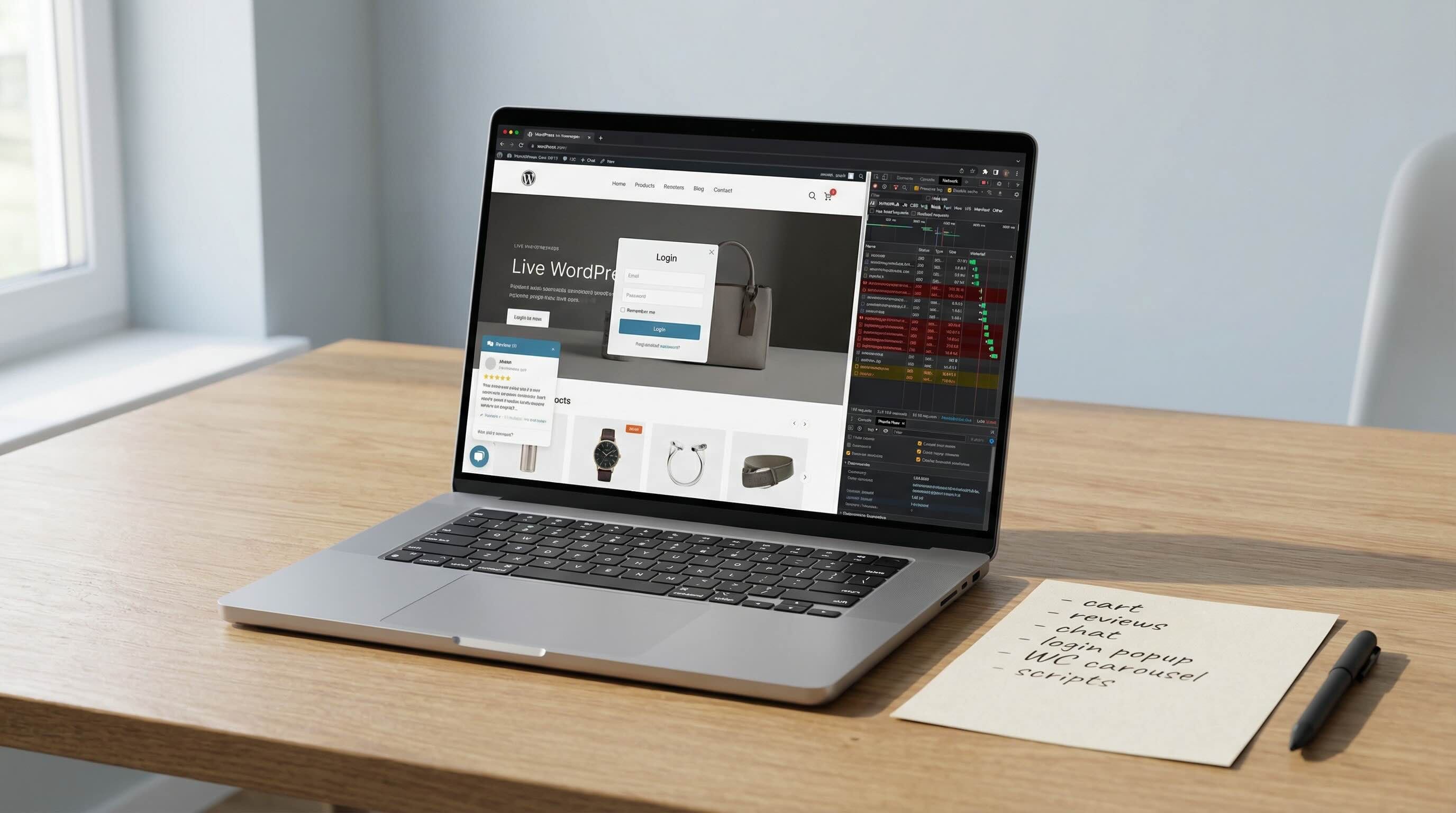
You would think your homepage should be the easiest page on your site to cache.
It is public. It is mostly marketing content. It usually does not look personalized.
So when it still feels slow, the natural assumption is that your cache plugin is weak, your host is underpowered, or WordPress is just being WordPress.
Sometimes that is true.
But a lot of the time, the real problem is simpler. Your homepage is no longer acting like a clean public page.
It is acting like a mixed route.
That usually happens slowly. You add a login popup, a mini cart, a member widget, a personalized block, a booking tool, a chat script, a review feed, or a third-party marketing script. Each change feels small on its own. The page still looks like a homepage. Under the hood, though, it stops behaving like one shared response that can be safely served to everyone.
That is when full-page caching starts to fall apart.
This is why homepage cache issues are often architectural, not just a plugin setting.
The real problem
A cache works best when the same public page can be served to many people without changing.
That is not what happens when your homepage includes request-specific tokens, session-aware widgets, cart state, account logic, or too much client-side behavior.
At that point, your homepage may still look static to you, but technically it is not.
That matters because the homepage is usually one of the highest-pressure pages on your site. It handles branded search traffic, direct visits, campaign traffic, referrals, and first impressions. If that page cannot be cached cleanly for logged-out visitors, your server ends up doing more work than it should, more often than it should.
That creates three problems at once:
- slower response times
- less consistent performance
- more fragility every time something new gets added
On WordPress and WooCommerce sites, this gets worse because the homepage often ends up carrying too much responsibility. It is supposed to be a marketing page, store entry point, account shortcut, script container, and sometimes even part of the application itself.
That is where cacheability starts to break.
What usually breaks homepage cacheability
1. Nonces and request-specific markup
A nonce is a short-lived security token used for protected actions like forms, popups, or AJAX requests.
They are useful. They are also one of the easiest ways to make a page unstable for full-page caching when they are printed directly into the homepage HTML.
If the response contains values that change per request or expire quickly, then your homepage is not really the same page for every visitor anymore. A cache layer has to either bypass the page, risk serving stale markup, or create a messy set of exclusions that reduce the value of caching in the first place.
2. Session-aware widgets
This includes things like:
- account menus
- welcome-back blocks
- recently viewed products
- member-only content hints
- course or portal shortcuts
- anything that changes based on whether someone is logged in or has an active session
These features are not inherently wrong. The problem is putting them directly into the shared homepage response.
If your homepage depends on visitor state, it is not a clean public page anymore.
3. WooCommerce cart fragments and store behavior
This is a common one.
You want the site to feel connected, so the homepage gets a live cart count, mini cart behavior, product-session logic, dynamic notices, or other fragments tied to session state.
Again, the issue is not WooCommerce itself.
The issue is mixing store behavior into the route you most want to cache aggressively for anonymous visitors.
A public homepage and a session-aware storefront do not follow the same caching rules. When you force them together, one of them loses.
4. Heavy third-party scripts
Your homepage can also feel uncached even when it technically is cached.
Why? Because the browser is still doing too much work after the HTML arrives.
Common causes include:
- chat widgets
- review embeds
- schedulers
- tag managers
- popup tools
- social feeds
- ad and analytics scripts loaded too early
You can also get hurt by broken asset loading. Bad CSS or JS references, unnecessary redirect chains, or over-broad redirect rules can quietly add seconds to the load even when the main page comes from cache.
That is an important distinction. A cache hit does not guarantee a fast page.
5. Too many jobs on one page
This is the bigger pattern underneath all of it.
Your homepage is often being asked to do too much.
It has to explain the business, sell the offer, support returning users, carry store behavior, load marketing tools, and sometimes act like a gateway into member or account flows.
That is not really a homepage anymore.
It is a mixed operational route.
Once that happens, cache instability is not surprising. It is expected.
Why changing cache settings usually does not fix it
A cache plugin can store a stable page. It cannot make unstable markup stable.
That is the core issue.
If your homepage response is genuinely different from request to request, the cache layer only has bad options:
- bypass the page
- cache something that should not be shared
- serve stale output
- pile on exclusions until the page barely benefits from caching anyway
This is why inherited WordPress builds get frustrating fast. You change settings, purge cache, try another plugin, maybe upgrade hosting, and the result is still inconsistent.
The reason is simple. The homepage itself is mixed.
The cache layer is being asked to smooth over a page that was never designed to be one clean public response.
That is backwards.
What to do instead
The answer is usually not to cache harder.
The answer is to separate public content from dynamic behavior.
Keep the homepage public
Your logged-out homepage should be as close as possible to one shared response for anonymous visitors.
That is where full-page caching works best.
If the page is mostly brand, messaging, proof, and calls to action, you are in a good place.
Move dynamic behavior to dedicated routes
Login, account, checkout, cart, portal, booking, and member flows should live on routes that are intentionally dynamic.
That gives each route a clear job.
It also keeps your most visible marketing page from inheriting application behavior it does not need.
Isolate small dynamic pieces
Sometimes you do need a dynamic element on the homepage.
That is fine, but isolate it.
Load it after the main page render, fetch it separately, or handle it in a way that does not poison the shared HTML response for everyone else.
The goal is not to remove every dynamic feature. The goal is to keep the core page cacheable.
Audit scripts and assets like they matter
Because they do.
Review every third-party tool on the homepage and ask:
- does this need to load here?
- does it need to load immediately?
- is it clearly helping the business?
- is it worth the performance cost?
Do the same with assets and redirects. Broken paths, old theme references, asset requests that should not exist, and redirect rules that catch things they should not can quietly wreck load time.
Define the cache boundary
This part gets skipped all the time.
You need to know which routes should be cacheable, which routes should always stay dynamic, and what conditions force bypass.
Without that, performance drifts every time a new plugin, feature, or script gets added.
A lot of WordPress performance problems are really governance problems.
How to tell whether you actually fixed it
Do not call it fixed because one speed test looked better once.
Check the route like an operator.
Start with the logged-out homepage:
- does it return the cache behavior you actually expect?
- does repeated testing show stable results?
- did response time improve meaningfully?
- did the network waterfall get cleaner?
- are third-party dependencies reduced or delayed appropriately?
Then test the other side:
- logged-in users
- account flows
- cart and checkout
- form submissions
- any portal, member, or booking behavior tied to the homepage experience
A bad performance fix often just means you broke something dynamic while making the public test look better.
That is not a fix.
The right outcome is a faster homepage for anonymous visitors and a cleaner system boundary for everything else.
The real takeaway
When your WordPress homepage cannot be cached reliably, the issue is usually not that caching is impossible.
It is that your homepage stopped being a clean public page.
It became a mixed route carrying public marketing content, dynamic application behavior, store state, third-party script weight, or all of the above.
Once that happens, cache instability is a symptom, not the root cause.
The fix is to clean up the boundary.
Decide what belongs on the public homepage, what belongs on dynamic routes, and what should not be there at all. That is what makes caching stable again. It also makes the site easier to maintain, safer to change, and less fragile the next time you add something new.
What to do this week
- test your homepage logged out and confirm whether it is actually being cached
- identify any nonces, login widgets, session-aware blocks, or request-specific markup in the homepage response
- review mini-cart behavior, cart counts, account shortcuts, and other store logic on the homepage
- audit third-party scripts and remove anything that is not clearly earning its keep
- check for broken asset requests, unnecessary redirects, and rules that are catching files they should not
- move cart, account, member, booking, and other dynamic behavior to dedicated routes where possible
- document which routes should be cacheable and which ones should always stay dynamic